table {border-collapse:collapse;}
td.cell-style-override-1 { background-color:#eef3fb;
}
td.cell-style-override-2 { background-color:#dcddde;
}
td.cell-style-override-3 { background-color:#d4effc;
}
td.cell-style-override-4 { background-color:#00c010;
}
td.cell-style-override-5 { background-color:#0078b0;
}
td.cell-style-override-6 { background-color:#a0c5ec;
}
td.cell-style-override-7 { background-color:#ffe000;
}
td.cell-style-override-8 { background-color:#00e010;
}
td.cell-style-override-9 { background-color:#00ff00;
}
td.cell-text { padding-bottom:0px; padding-left:9px; padding-right:9px; padding-top:9px; border:1px solid #000000;}
p.narrative { font-size:14px; font-family:”Gotham-Book”, sans-serif;font-style:normal; font-weight:normal;}
p.heading{ font-size:18px; font-family:”Gotham-Book”, sans-serif;font-style:normal; font-weight:bold;}
p.quality{ font-size:13px; font-family:”Gotham-Book”, sans-serif;font-style:normal; font-weight:normal; width:100px;}
p.quality-text{ font-size:13px; font-family:”Gotham-Book”, sans-serif;font-style:normal; font-weight:normal; width:500px}
p.resize{ font-size:13px; font-family:”Gotham-Book”, sans-serif;font-style:normal; font-weight:normal; width:100px}
.papermake{ font-size:13px; font-family:”Gotham-Boo”, sans-serif;font-style:normal; font-weight:bold; width:80px; }
p.para-style-override-1 {
font-family:”Gotham-Bold”, sans-serif;
font-size:48px;
font-style:normal;
font-variant:small-caps;
font-weight:bold;
text-decoration:underline;
}
tr.Row-Column-7 {min-height:24px;}
Pixels and image size
Most image files are produced on a normal digital camera or digital scanner.
The JPG image will have a width and a height measured in pixels which are essentially coloured dots.
When you print your image, the more pixels you have, the better the quality.
How do you know if you have enough pixels in your JPG file?
When you upload your picture to UKGiclee, we start by choosing a size for your print based on 300 dots per inch.
So, for example, if you upload an image that is 1800 pixels by 1200 pixels, the inital size will be 6 inches by 4 inches (150mm x 100 mm).
What happens if you enlarge your picture with UKGiclee
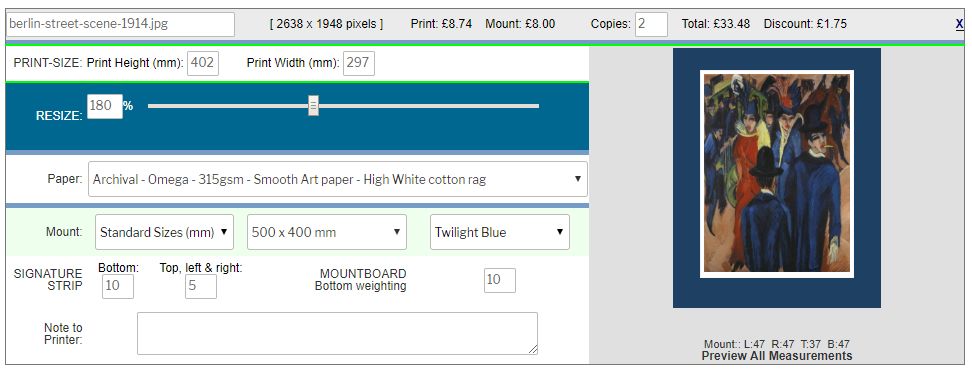
You can use UKGiclee to enlarge your picture up to 4 times the original size
We use a process called resampling to produce the best possible image at any size.
Resampling is a digital technique which increases the size of the picture and inserts extra dots to avoid any pixelation
The table below gives an indication of the quality of print you can expect if you resize your picture with UKGiclee.
|
Original size
@300 dpi
|
Photo Quality
|
A Perfect reproduction of your image.
|
|
200%
|
Excellent
|
Almost impossible to see any difference from a Photo-Quality image.
|
|
300%.
|
Very High Quality
|
Only an expert could spot the difference from Photo quality
|
|
400%
|
Very Good:
|
There might be some slight lack of sharpness on small lettering and fine lines
|
|
600%
|
Good
|
Very acceptable images for poster/display applications
|
|
800%
|
Fair
|
OK from a distance – may lack contrast when close up.
|
Editing image files
If you need to edit or crop your image file using an editor such as Photoshop,
make sure that you save the new JPG image at the highest possible quality.